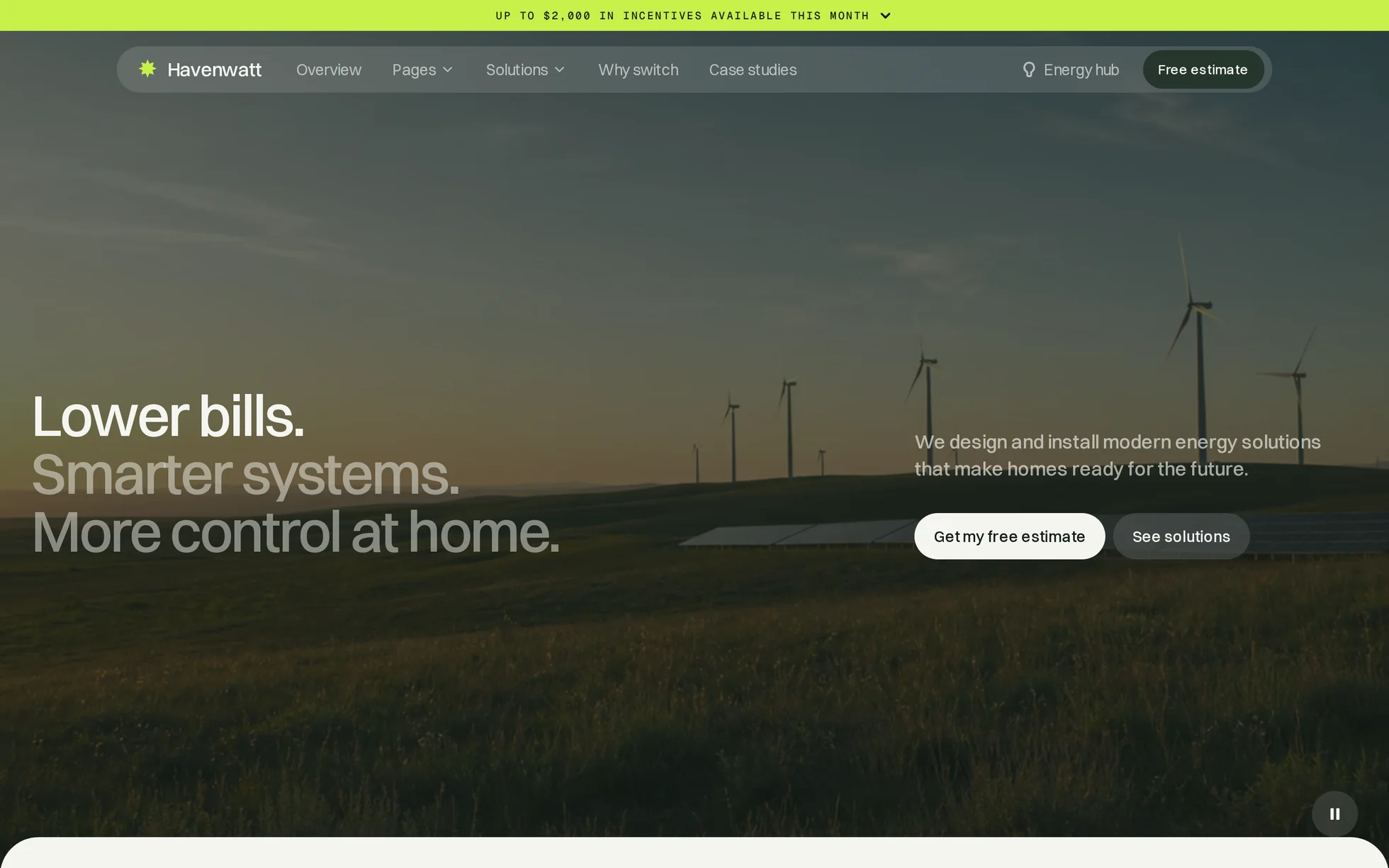
What it is
A solar installer's site, complete: a video hero, offers, project steps, figures, reviews, FAQ, footer. One page, one HTML file.
The design follows that of a commercial template, of which only the photos and the video have been kept. All the code has been rewritten: the original came to 292 kB of minified CSS, a proprietary animation engine and five external libraries — unreadable, and therefore useless for learning from. Here, every section is preceded by a comment saying what it is.
That's the whole point: this template isn't here to be admired, it's here to be read, broken and rebuilt.
What you change first
The colours — eight lines
Right at the top of assets/css/style.css:
--color-surface:   #f4f6f0;  /* page background */
--color-surface-2: #ffffff;  /* raised surfaces */
--color-surface-3: #dfe5d6;  /* filled boxes, buttons */
--color-ink:       #14201a;  /* body text, dark sections */
--color-accent:    #c8f04a;  /* banner, highlights */
One thing to grasp before touching anything else: a dark section doesn't restyle its children, it swaps two tokens. The
.is-inverted class replaces the background with the ink and vice versa; buttons, muted text and borders all follow by themselves. That's why no button has an “on dark” variant.
The name
Search for “Havenwatt” in index.html. No CSS class carries the brand name: a find-and-replace can't break anything.
The sizes
The type scale is declared once, then redeclared at every breakpoint. So a heading never gets its own media query: you change --h2-size and the whole page follows.
The nineteen effects, and how they're built
All taken from the data of the original's animation engine (22 interactions, 21 timelines, 47 actions), measured in the browser, then rewritten as readable CSS and JavaScript. Here are the main ones.
| Effect | Where | How |
|---|---|---|
| Headings split into lines | all headings | the JS measures the real lines, the CSS animates each line inside its mask |
| Sticky hero | hero section | the JS writes a progress variable, the CSS shrinks the video and raises the text |
| Parallax | 16 blocks and photos | a variable from −1 to +1 written on scroll, translation in CSS |
| Inverted nav | dark sections | a class set at 8% of the screen height |
| Scroll reveal | 21 blocks | IntersectionObserver, firing at 88% of the screen height |
| Buttons | everywhere | label split into letters, each offset by 20 ms from the centre |
| Two carousels | solutions, selling points | native scroll-snap: dragging, swiping and the keyboard all work without JS |
| FAQ | questions | <details> native, animated height |
What you should know
- No external requests. Self-hosted fonts, local video and photos, no CDN, no tracker. The original export made five.
- Scroll reveals can't hide the content. The hidden state only exists once the JavaScript has run. If it fails, the page stays entirely readable — that's exactly the trap that made sections invisible in the original.
- Zero inline styles, zero inline scripts. The template honours the site's strict security policy, the very one the course teaches you not to weaken.
- Accessibility: skip link, menu states announced, native FAQ, visible focus, decorations hidden from screen readers, animations switched off if the system asks.
- Responsive checked at 390, 1440 and 2560 px, with no horizontal overflow.
What isn't perfect
Better said here than left for you to find out.
- The background video weighs 4.2 MB. It's the original file, not re-encoded. For a real site, re-encode it or replace it with its fallback image — the course's “Quality” module shows you how.
- The page is 7% taller than the reference. A few sections breathe a little more. Nothing overlaps.
- The links point to anchors on this page. The original is a multi-page site; here everything leads back to an existing section rather than to a 404.
- The photos and the video come from the original template. The code is yours; for the visuals, check the licence or replace them. The fonts themselves are free to redistribute.
It’s waiting for you in the library.
Havenwatt comes with the subscription, alongside the rest of the library and the full course.
Immediate access · No commitment · Cancel in one click